



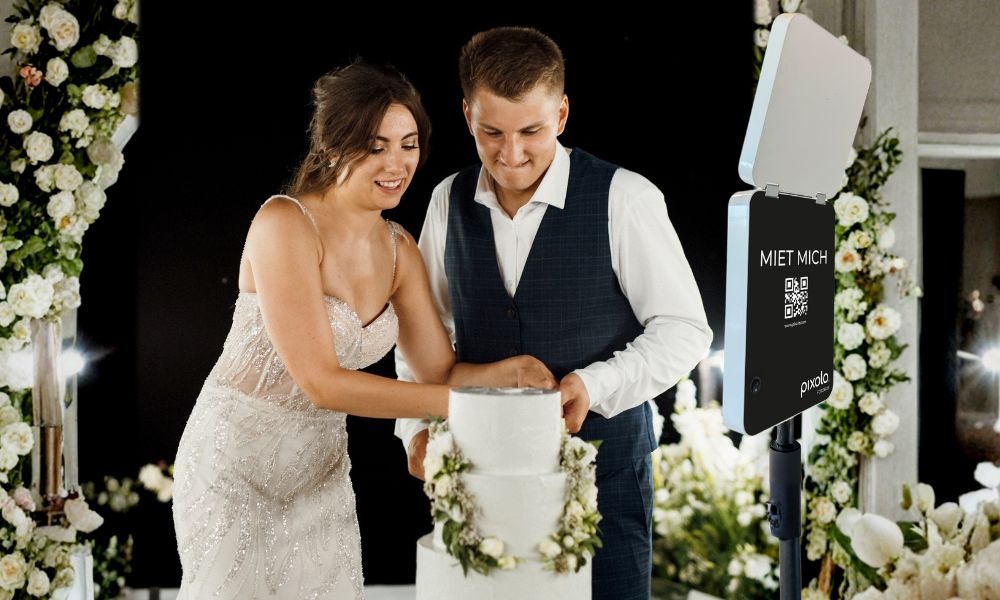
Today, a photo box at a wedding is far more than just an entertainment element. It is a mood maker, icebreaker and memory machine all in one. While a traditional photographer often takes structured pictures, the photo box creates spontaneous, genuine moments.
However, to ensure that your wedding photo box is really used and doesn’t just stand in the corner decoratively, you need clear planning, the right location and a simple process on the wedding day.
This checklist guides you step by step through all the important points. From booking to placement and use during the party.
What you get in this checklist
This checklist is structured in such a way that you can integrate it directly into your wedding planning.
You get:
- A clear schedule for booking and preparation
- A location guide for maximum utilization
- Step-by-step assembly instructions
- Strategies to actively motivate guests to use them
- Typical mistakes and how to avoid them
- Explanation of how you will receive all photos after the wedding
- Why a digital solution like the pixolo photo boxis particularly suitable for weddings
Planning: How to properly prepare the photo box for your wedding
A photo box should be planned in the same way as music, catering or seating arrangements. The earlier you integrate it, the better it will fit into the schedule.
When should you book a wedding photo box?
Recommended schedule:
- Secure a date 3 to 6 months before the wedding
- Determine location 6 to 8 weeks in advance
- Inform DJ or maid of honor 2 to 4 weeks in advance
- 1 to 3 days before the event Check delivery
Why book early? In the wedding season, dates are booked up quickly and you avoid unnecessary stress shortly before the celebration.
Placement: Where you should set up the photo box
The location determines how often your guests use the photo box.
Visible, but not in the way
Best places:
- Near the dance floor
- Next to the bar
- In the entrance area
- In a separate lounge corner
Avoid:
- Dark corners
- Very narrow passages
- Right next to extremely loud loudspeakers
Plan space requirements
Allow at least 1.5 to 2 meters of free space in front of the camera. Groups want to move and pose.
Compact systems have an advantage here.
Using the background and light correctly
Many photo boxes require a real decorative wall in the background so that the photos look good.
The pixolo photo box offers an AI background function. This means:
- People are recognized automatically
- The real background is replaced digitally
- You don’t need a perfect wall
- You save yourself an elaborate decorative backdrop
In addition, an integrated light panel ensures constant picture quality, even at evening events.

Set-up: step-by-step instructions on the wedding day
The assembly should be so simple that it works even without technical knowledge.
Delivery and quick check
When the photo box arrives:
- Open package directly
- Check that the tripod and device are undamaged
- Connect briefly and test the screen
- Stow everything away safely again until assembly
Tip: Allow 10 minutes for this, no more.
Assembly in just a few minutes
Setup procedure:
- Set up the tripod
- Set up or attach the photo box
- Connect power or check battery status
- Activate touchscreen
- Take a test photo
Important: Adjust the height so that adults and groups can fit on it easily.
Test photo checklist
Take a test photo and check:
- Head to upper body in the picture
- Group photo fits
- Light is uniform
- Background looks clean
- No reflections or direct backlighting
If you are planning outside:
- Photo box in the shade or under a canopy
- Protection from wind and rain
Increase guest usage: How to make the photo box a real highlight
Many hosts set up the photo box and hope that guests will find it. It’s better to build in small triggers that actively encourage use.
A sign that works
Examples of short texts:
- Grab your crew and take a photo
- One click, one smile, one memory
- Show your best wedding move
- The guestbook is waiting for your photo
Integrate the photo box into the event
Times that work well:
- After the champagne reception
- After dinner, before the party starts
- During party breaks
- Later in the evening, when the mood is relaxed
Tip: Ask the DJ or maid of honor to briefly point this out 2 to 3 times.
Photo challenges for weddings
Ideas that guests love:
- Team Bride vs. Team Groom
- Best group photo of the evening
- Funniest pose
- Most romantic photo
- Photo with the grandparents
- Photo with the colleagues
- Photo with all cousins
You can hang this up as a small list next to the photo box.
Photos after the wedding: How to get your pictures at the pixolo photo box
Important: Every photo box works differently. Some systems are online during the event, others are not. You should therefore always check this in advance.
With the pixolo photo box, the process is designed so that the device remains offline during your event. This means that
-
The photo box is not connected to the Internet during the party
- There is no instant online gallery during the event
- The system is so limited that guests can only use the photo box app
- This prevents operating errors and ensures that nobody connects the device to someone else’s WLAN
This is how you get the photos:
-
Send the photo box back after the event
- As soon as she is back in the office and connected to the WLAN, she uploads all the pictures
- You will then receive an e-mail with the link to the online gallery
- Guests receive photos digitally if they have registered their e-mail during use
Why this makes sense for weddings:
You avoid stress in the evening, no discussion about settings, no guests clicking around the system, and in the end you get a complete gallery.
Typical wedding photo box mistakes and how to avoid them
Here are the most common mistakes I see at weddings:
Photo box is too hidden
Solution:
- Place them visibly
- Use a sign
- Let DJ briefly mention
Too little space
Solution:
- Create 2 meters of free space
- No chairs or decorations in the way
- Secure cable
Poor lighting situation
Solution:
- not directly against window light
- uniform light if possible
- Use integrated light, if available
Nobody feels “responsible”
Solution:
-
Brief the witnesses
- Remind 2 times in the evening
- Lay out a small challenge list
Why a digital photo box like pixolo is particularly suitable for weddings
Many couples today are looking for solutions that look high-quality but are uncomplicated. Digital photo boxes are so popular because they reduce the typical pain points of traditional systems.
This speaks in favor of a digital solution like pixolo:
- Quick setup, without technical setup stress
- No printer problems such as paper jams or empty cartridges
- Digital backgrounds and digital props bring more variety without waste
- Compact design, good for small locations
- Unlimited photos at no extra cost, ideal for long wedding evenings
Wedding photo box mini checklist to save
If you only want to save the most important information, use this short version:
Planning
- Save the date
- Choose style
- Decide indoor or outdoor
- Determine the person responsible
Setup
-
Briefly check delivery
- Set up the tripod stably
- Set the height correctly
- Take a test photo
Placement
- visible
- 2 meters free space
- No backlighting
Increase utilization
- Put up a sign
- DJ hint
- Photo Challenge List
After the event
-
Return shipment
- Wait for gallery link by e-mail
- Share and save photos

